C++ if Statements control the flow of the program based on conditions. If the expression evaluates to true, it executes certain statements within the if block; Otherwise, execution will get skipped. It is the simplest way to modify the control flow in a C++ program. This tutorial will teach you how to use if Statements in C++.
Programmers can use "if Statements" in C++ in various forms depending on the situation and code complexity.
- if Statement
- if-else Statement
- Nested if-else Statement
- else-if Ladder
The basic format of the if Statement is:
Syntax:
if(test_expression)
{
    Statement 1;
    Statement 2;
    ...
}'Statement n' can be a statement or a set of statements, and if the test expression evaluates to true, the statement block will get executed or skipped.
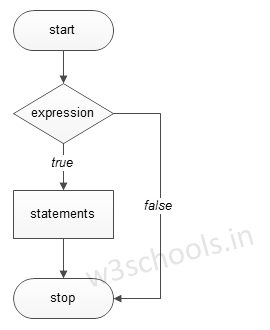
Figure - Flowchart of if Statement:
Example of a C++ Program to Demonstrate if Statement:
Example:
#include <iostream>
using namespace std;

int main()
{
    int a = 15, b = 20;

    if (b > a) {
        cout << "b is greater" << endl;
    }
    system("PAUSE");
}
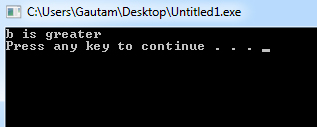
Program Output:
Example:
#include <iostream>
using namespace std;

int main()
{
    int number;

    cout << "Input the number: ";  cin >> number;

    /* check whether the number is negative number */
    if(number < 0)
    {
        /* If it is a negative then convert it into positive. */
        number = -number;
        cout<<"The absolute value is: "<< number<<endl;
        system("PAUSE");
    }
}
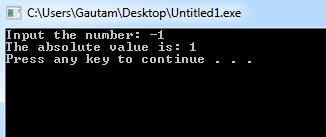
Program Output: