In C++, the storage class specifies control of two different properties: storage lifetime and scope(visibility) of variables. This tutorial describes various storage classes available in C++.
Following storage classes can be used in a C++ Program:
- Automatic
- External
- Static
- Register
Automatic(auto) Storage Class
Variables defined within the function body are called auto variables. auto storage class is used to declare automatic variables, also called local variables.
Example:
auto int a, b, c = 100;It is the same as:
int a, b, c = 100;The External Storage Class
External variables are defined outside of the function. Once the External variable is declared, the variable can be used in any line of codes throughout the rest of the program. The extern modifier is most commonly used when two or more C++ files share the same global variables or functions.
First File: main.cpp
Example:
#include <iostream>
#include "file.cpp"
int count ;
extern void write_extern();

main()
{
    count = 5;
    write_extern();
    system("PAUSE");
}
Second File: file.cpp
Example:
#include <iostream>
extern int count;

void write_extern(void)
{
    std::cout << "Count is " << count << std::endl;
}
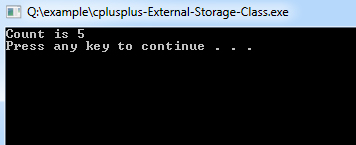
Program Output: